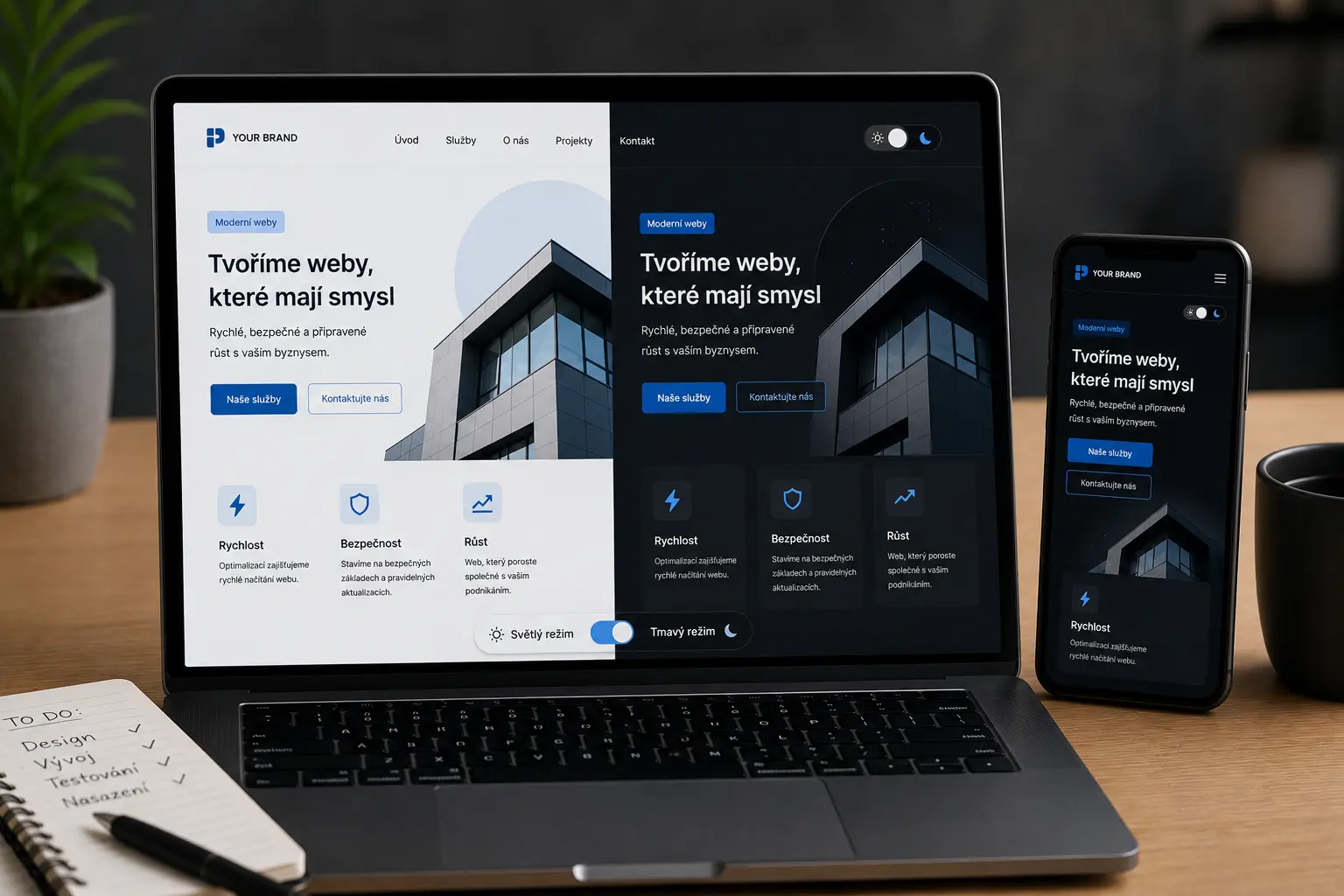
A website can include light and dark mode, a theme switcher, and support for the device system settings. The website can remember the last selected mode and automatically adapt to the user.
Dark mode is used today by major apps and services such as YouTube, Discord, Spotify, GitHub, and Google. Users are used to it and often look for it themselves.
The website can have its own switcher between light and dark mode.
The website can remember the last selected mode even after the browser is closed.
Texts, buttons, forms, menus, backgrounds, and icons need to be adjusted properly.
Dark mode can be added to WordPress, Laravel, or a custom website.
Light and dark backgrounds for all parts of the website.
Contrast, readability, and proper text colors.
Hover effects, active states, and proper link colors.
Inputs, placeholders, border colors, and focus effects.
Some images or icons need to be adjusted separately.
Header, menu, and mobile navigation for both modes.
Millions of people use dark mode every day in apps such as YouTube, Discord, Spotify, or GitHub. Users are used to it especially in the evening or when working on a computer.
The website can respect the device system settings and automatically switch the appearance based on the user’s preference.
Yes. Dark mode can also be added to WordPress, for example for Bricks Builder, Elementor, or a custom theme.
Yes. The website can automatically use light or dark mode according to the user’s device settings.
Yes. The mode can be saved in localStorage or another way so the website remembers it.
Yes. Proper dark mode usually means adjusting texts, backgrounds, buttons, forms, menus, and other parts of the website.
Tell me which website you want to add dark mode to and whether it is WordPress, Laravel, or another system.